
Your pup is ready for its entrance
Make My Dog Dance From a Photo
Pick a favorite dog photo and create a 15-second AI stage video. The routine, two backup dancers, and portrait setup are prepared for you.
Start with a photo you already love
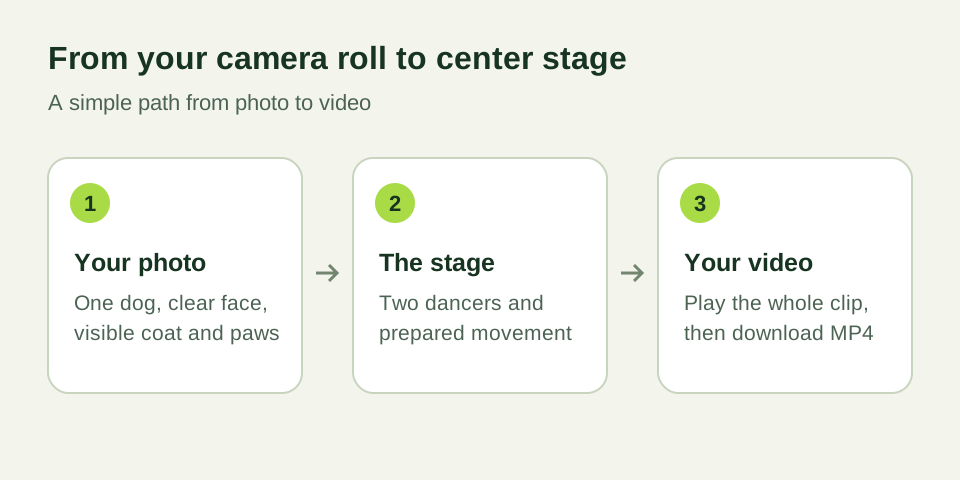
If you are wondering how to make your dog dance without filming a trick, start with a clear photograph. Your pet can stand or sit comfortably. The movement is created in the video; there is no need to put your dog into an unusual pose for the camera.
Choose a picture in which you can see the eyes, muzzle, ears, and coat. Include the paws and body if possible. A photo with one dog gives the generator a clear subject, while a collage or a group of pets leaves more room for confusion.
What happens after I upload?
The image becomes an appearance reference for a new AI scene. The prepared Single Ladies-inspired setup places your dog at center stage with two adult backup dancers behind it. You supply the personality; the generator supplies the staging and motion instructions.
The standard workflow requests a 15-second portrait video at 768P. Open the generator to see the available output settings and current credit quote. Sign in before submitting so the task and result can be saved in your account.
After submission, follow the same task in your video library. Generation can take time depending on the provider and workload. If a result is still processing, check the existing entry before starting another attempt.
A quick photo checklist
Use even daylight and keep the camera steady. Avoid heavy filters, motion blur, and shadows that hide the face. Dark fur needs enough light to show texture; pale fur needs enough detail to keep the muzzle and chest distinct.
Keep other animals, people, furniture, and toys from covering the dog. Leave some room around the ears, tail, and feet. Use a supported image format shown by the upload control and stay within its file limit.
If the first result does not feel like your pet, compare it with the original photo. Look at the ear shape, muzzle, coat length, and markings. A clearer input can help, although AI generation can still change details during movement.
Check your dog’s whole performance
Play all 15 seconds before sharing. The opening frame may look good while later head movements reveal a change in the face or fur. Check the paws and floor contact, then make sure both backup dancers stay visible.
Download the MP4 and play it on the phone or device you will use to post. Listen to the audio in the actual file. If you add a soundtrack in a publishing app, check the final edit after that step too.
Can I make a Put a Ring on It dog video?
That phrase is another way people describe this pet dance idea. This site creates a studio performance inspired by the scene: one lead dog and two dancers. It creates a new video from your photo rather than providing frames from the artist’s music video.
The original Single Ladies recording and lyrics are not supplied. Use audio you have permission to publish, and check the music rules for your account and intended use. Naming a trend does not provide a music license.
Choose your photo and take the next step
You can prepare a picture before deciding to generate. Review the current video packs and account terms when you are ready. The quote shown before submission tells you the credits needed for that attempt.
If a confirmed technical generation failure occurs, reserved credits are returned. For an uncertain or still-processing task, keep its identifier and use the existing library entry or support channel to check progress. Credit handling and payment refunds are described separately in the policies.
Frequently asked questions
- How do I make my dog dance with AI?
- Choose one clear dog photo, open the generator, sign in, review the prepared effect and credit quote, and submit. Once the video is delivered, play it fully and download the MP4.
- Does my dog need to stand on two legs?
- No. Use an ordinary, comfortable pose. The prepared scene creates the movement; your dog does not need to perform or wear a costume.
- Can I use a picture of more than one dog?
- This workflow is designed for one dog. Choose or crop a photo so the intended pet is the only animal visible.
- Where will I find my video?
- Sign in to submit the task and follow it in your account’s video library. Delivered videos can be played and downloaded from the account.