
How to Choose a Dog Photo for an AI Dance Video
Choose a clear dog photo for a dance video: framing, light, coat markings, paws, and a checklist before you upload.
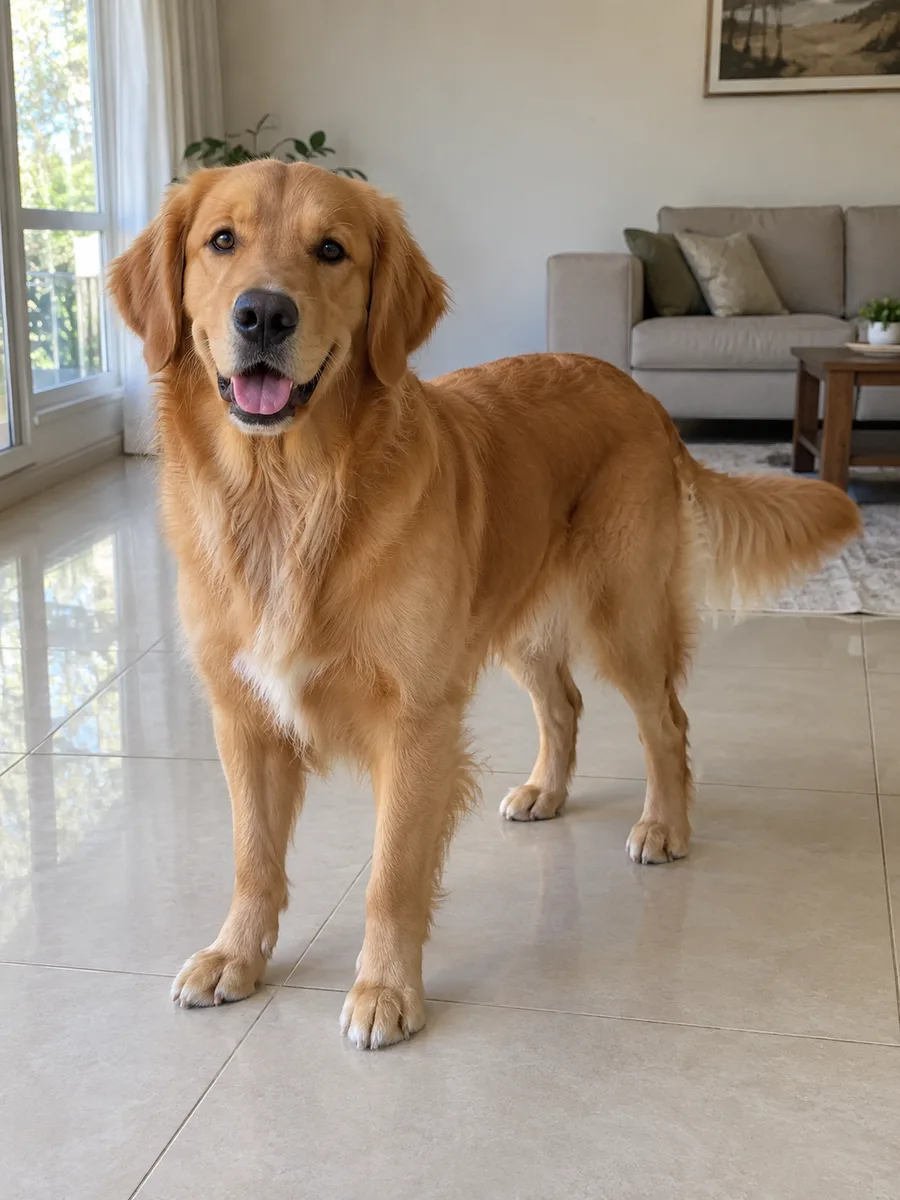
Start with a sharp photograph of one dog in good light. Your picture tells the generator what your pet looks like: the ears, muzzle, coat, paws, and little markings you recognize immediately. You do not need to photograph a dance. An ordinary, comfortable pose is enough to start.
Give your dog room in the frame
Choose a view that includes the ears, face, chest, legs, and paws. Leave some breathing room around the animal. A very tight crop removes information the video model could otherwise use when building the stage scene. If your dog’s feet are outside the photograph, the model must invent their appearance.
A full-body photo is particularly useful for this effect because the dog shares the frame with two backup dancers. It helps establish the pet’s size and build. Avoid a wide landscape in which the dog occupies only a tiny patch; start with enough detail to see the face clearly.
Your dog can stand or sit naturally. There is no need to make it balance on its hind legs, stretch its neck, or perform a trick. Keep the photo session comfortable and use a picture you already have if it shows the needed details.
Make the markings easy to see
Soft daylight is a useful starting point. Face the dog toward a window or photograph it in open shade. Strong backlighting can turn a dark coat into a silhouette, while harsh direct sunlight can hide pale fur in bright areas. Check the photo itself rather than relying on how the scene looked to your eyes.
Look for your pet’s distinctive features: a white chest patch, differently colored ears, a short muzzle, eye markings, or a long tail. The clearer those details are, the easier it is to compare the output with your own dog. Avoid beauty filters and effects that reshape the face or add accessories you do not want in the video.
If several photos look equally good, choose the sharpest one with the least obstruction. A toy held across the mouth, a hand around the face, or a chair leg over the paws can make the subject harder to interpret.
Keep the subject unambiguous
- Include one dog, with no other pets competing for attention.
- Use an ordinary photograph rather than a collage or a screenshot covered in text.
- Keep the head, paws, and body clear of people, toys, and furniture.
- Avoid motion blur, heavy compression, and very dark images.
- Use JPG, PNG, or WebP and check the upload control for the current file limit.
The original background does not need to look like a studio. The prepared scene supplies the stage and two dancers. A simple background helps separate the animal from its surroundings; it does not need to match the finished video.
Crop carefully before uploading
Remove a distracting second animal if you can do so without cutting into your dog. Keep the full ears, muzzle, and feet. Do not stretch the image to make it vertical: distorting the source proportions gives the model an inaccurate reference.
If you have only a close-up, you can still inspect it in the generator, but a photograph that includes the body provides more information for a full-stage composition. Choose a different original when the crop would leave too little of the dog visible.
Check the whole result
Watch the delivered AI dog dance video from beginning to end. Compare the ears, muzzle, coat length, and markings as the head moves. Then look at the paws, proportions, and contact with the floor. Check that both backup dancers remain in view and that there are no distracting changes at the edges of the frame.
A clearer photo improves the information available to the model; it cannot guarantee identity or anatomy in every frame. Download the MP4 and play it on the device you will use for sharing. Listen to the actual file as well as watching it.
Put your photo to work
Open the dog dance generator and select your picture. The standard workflow requests a 15-second portrait video at 768P. Review the selected output and credit quote, then sign in to submit and follow the result in your account.
For the broader process, read how to make the dog trend. To understand what the photograph contributes to the scene, read photo animation and motion reference explained.
Frequently asked questions
- What is the best photo for an AI dog dance?
- Choose a sharp image of one dog in even light. Keep the face, ears, coat markings, body, and paws visible, with a little room around the animal.
- Does my dog need to be standing?
- A clear, natural full-body pose is useful. Your dog does not need to balance upright, dance, or wear a costume for the photo.
- Can a better photo guarantee an identical dog in every frame?
- No. A clear photo gives the model more appearance information, but AI video can still change markings, anatomy, or proportions during motion. Review the full result.