
How to Do the Single Ladies Dog Trend From One Photo
Make the dog dance trend in three steps: choose a photo, submit the prepared AI stage effect, then review and download your video.
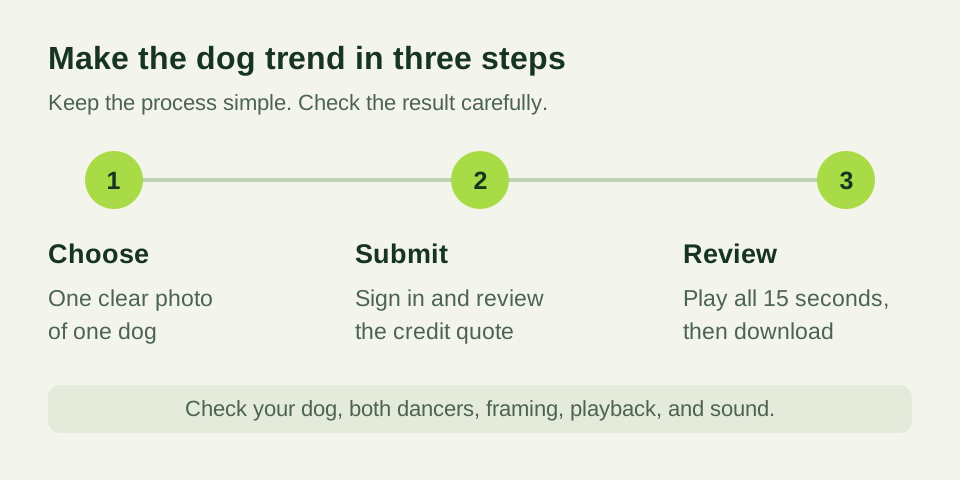
To do the Single Ladies dog trend, start with one clear photo of your pet and use a prepared AI dance scene. This generator puts the dog in the foreground with two backup dancers behind it. You do not need a filmed performance, dancer photos, or a long prompt.
The standard setup requests a 15-second video at 768P in a 9:16 portrait composition. Before you submit, review the current settings and credit quote in the generator. The steps below take you from choosing the picture to checking the downloaded MP4.
Step 1: Choose one clear dog photo
Pick a sharp photograph with one dog as the obvious subject. A full-body view is useful because the final scene includes the paws, body, and dancers behind the pet. Keep the face, ears, chest, and feet visible, with a little space around the animal.
Use even light. Avoid a backlit silhouette, motion blur, and heavy filters. Your dog can stand or sit in an ordinary pose; it does not need to balance upright or wear a costume. Choose a comfortable existing photo instead of trying to stage a difficult shot.
If you have several candidates, compare the details that identify your dog. Can you see its coat markings, muzzle, and ear shape? Are toys, people, or furniture hiding part of the body? The photo preparation guide gives a fuller checklist.
Step 2: Review and submit the prepared effect
Open the dog dance generator and choose your image. The upload control shows supported formats and the current file size limit. You only need the dog photo: the prepared effect supplies the stage, two adult backup dancers, and movement directions.
Sign in to submit the task and keep the result in your account. Review the selected output and the credit quote before confirming. The quote tells you what the attempt requires; the pricing page explains the available video packs and their terms.
Submit once, then follow the existing entry in your video library. Processing time depends on the provider and current workload. If the task is still running, check that entry rather than repeatedly submitting the same picture. If you contact support, include the task identifier so the correct request can be found.
Step 3: Play the whole video and download it
When delivery is complete, watch the entire clip. Start with your pet’s identity: the face, ears, fur length, and distinctive markings. Then check the paws, body proportions, and contact with the floor as the head moves.
Look at the rest of the stage too. Both dancers should be visible in the intended composition. Check for unexpected cuts, duplicated performers, or distracting changes near the frame edges. A good first frame alone cannot establish that the entire video is ready to share.
Download the MP4 and play that file on your phone. Check playback, portrait framing, and sound. If you edit or add music afterward, watch the final export again rather than assuming the original check still covers the edited file.
Choose music for your intended use
The trend is named after Single Ladies (Put a Ring on It), but this site does not supply Beyoncé’s original recording, lyrics, or music-video footage. You are creating a new AI stage video from your pet’s photo.
If you choose a soundtrack in an editor or publishing app, confirm that you are allowed to use it for that account and purpose. Personal posts, business accounts, and advertisements can have different music options. Listen to the final version and check where the beat falls against the movement.
If the result needs another attempt
Compare the output with your original photo before changing anything. If the dog looks different, try a clearer input that better shows the face and coat. If a crop removed the paws or ears, choose a wider original. Changing one major input at a time makes it easier to understand what helped.
AI video can change details during motion even with a strong photograph. Review each result independently. Confirmed technical generation failures return reserved credits; a delivered clip that you want to refine is a different situation. Read the refund and cancellation policy for the distinction between credit handling and payment refunds.
Ready for your dog’s entrance?
Choose a favorite photo and make your dog dance. To learn about the scene before creating, read the Put a Ring on It dog trend guide or how photo and motion references work.
Frequently asked questions
- How do I do the Single Ladies dog trend?
- Choose a clear photo of one dog, open the generator, sign in and review the prepared output and credit quote. Submit once, then review and download the delivered video from your library.
- Do I have to write a prompt?
- No. The prepared stage effect supplies the scene and motion instructions, including the two backup dancers. Your input is one dog photo.
- How long is the video?
- The standard workflow requests a 15-second video at 768P in a 9:16 portrait composition. Check the selected output in the generator before submission.
- What should I do if a task is still processing?
- Follow the existing task in your account’s video library. Keep its identifier when contacting support, and check its status before starting another attempt.
- Is the original Single Ladies song supplied?
- No. The site does not provide the original recording, lyrics, or music-video footage. Use music you are allowed to publish.