
Single Ladies Dog Dance: How the Photo Becomes a Stage Video
Understand the dog dance scene, what your photo supplies, how the stage is prepared, and what to check in your finished AI video.
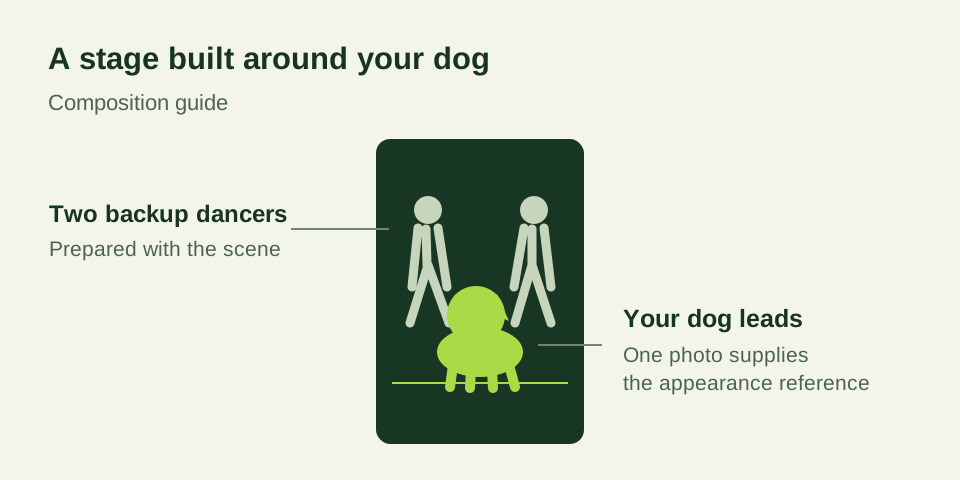
The Single Ladies dog dance gives a familiar pet an unexpected role: the lead performer in a studio scene, with two dancers behind it. A small head tilt or a confident look becomes the joke when the rest of the stage treats the dog like a star.
You may also see this idea called the “Put a Ring on It dog” trend. Those names describe a theme, rather than one universal video template. Different tools can use different movements, framing, and sound. Start by looking at the actual sample offered by the generator you intend to use.
Your photograph supplies appearance
A dog photo contains visual information about your pet: the muzzle, ears, eyes, fur length, markings, and body shape. It does not contain a dance sequence. A clear photograph gives the model a better starting point for the animal’s appearance when it generates moving frames.
For this effect, one dog is enough. You do not need to supply photographs of people or take a picture on a stage. A natural full-body view with visible paws helps show proportions; even light makes the face and coat easier to read. The photo checklist explains how to choose between pictures.
The prepared scene supplies the performance
The generator combines your input with a prepared studio setup. The intended composition has the dog near the front, two adult backup dancers behind it, and room for all three performers in a portrait frame. The motion directions provide the sequence the photograph cannot supply on its own.
This is a newly generated scene. It is not a frame-by-frame edit of the original artist’s music video. AI can interpret movement instructions differently from one result to another, and it may alter details as the subjects move. Review the entire performance rather than assuming that the opening frame represents every moment.
A video reference, where a model supports one, can provide additional motion and timing information. That is different from a photograph’s role as an appearance reference. In the prepared workflow here, you upload your dog photo; the staging instructions are already supplied, so there is no need to assemble a reference package yourself.
What the standard workflow requests
The standard setup requests 15 seconds at 768P in a 9:16 portrait composition. These settings suit a short vertical performance and leave enough room to show the lead pet with the dancers behind it. Review the currently selected output and credit quote in the tool before submitting.
The task is tied to your signed-in account. You can follow its progress in your video library and download the delivered MP4 there. Generation time depends on the provider and current workload. A processing entry should be checked through its existing task rather than replaced by repeated submissions.
Sound and the trend name are separate
Calling a video “Put a Ring on It” does not provide permission to copy a recording. This site does not supply Beyoncé’s original Single Ladies audio, lyrics, or music-video footage. The AI stage video is its own output, and any music you choose to add must be suitable for your intended use.
Listen to the downloaded file. If you select music in a publishing app, inspect the final edit with that soundtrack as well. Audio available for a personal post can have different conditions from audio available to a business account or an advertisement; check the rules where you publish.
Review identity, movement, and framing
Compare the face and coat with your uploaded photo as the head turns. Check for changes in ear shape, muzzle length, or fur. Then watch the paws and floor contact. The dog should remain a recognizable animal rather than picking up distracting human-like body details.
Look at both dancers too. They are part of the composition, so an unexpected crop, duplicate performer, or abrupt scene change can affect the whole clip. Finally, play the downloaded video on your phone to check playback and framing before sharing.
Make your own version
Choose a favorite photo and open the AI dog dance generator. The stage is prepared; your job is to choose a clear reference and review the finished performance. If you want a walkthrough, continue to the three-step guide.
For public context, Media.io’s pet dance page also uses the Put a Ring on It and Single Ladies names for this pet-and-dancers idea. This reference explains terminology; it is not an endorsement or a quality comparison.
Frequently asked questions
- What is the Single Ladies dog dance trend?
- It is a pet-video idea that places a dog at the front of a stage with two backup dancers. The dog’s expression and head movements become the focus of a new AI performance.
- What does my dog photo control?
- The photo provides appearance information such as the face, ears, coat, markings, and build. The prepared setup supplies stage and motion instructions; results can still change details.
- Is the original song included?
- No. This site does not provide the original Single Ladies recording, lyrics, or music-video footage. Choose music you have permission to use when publishing.